
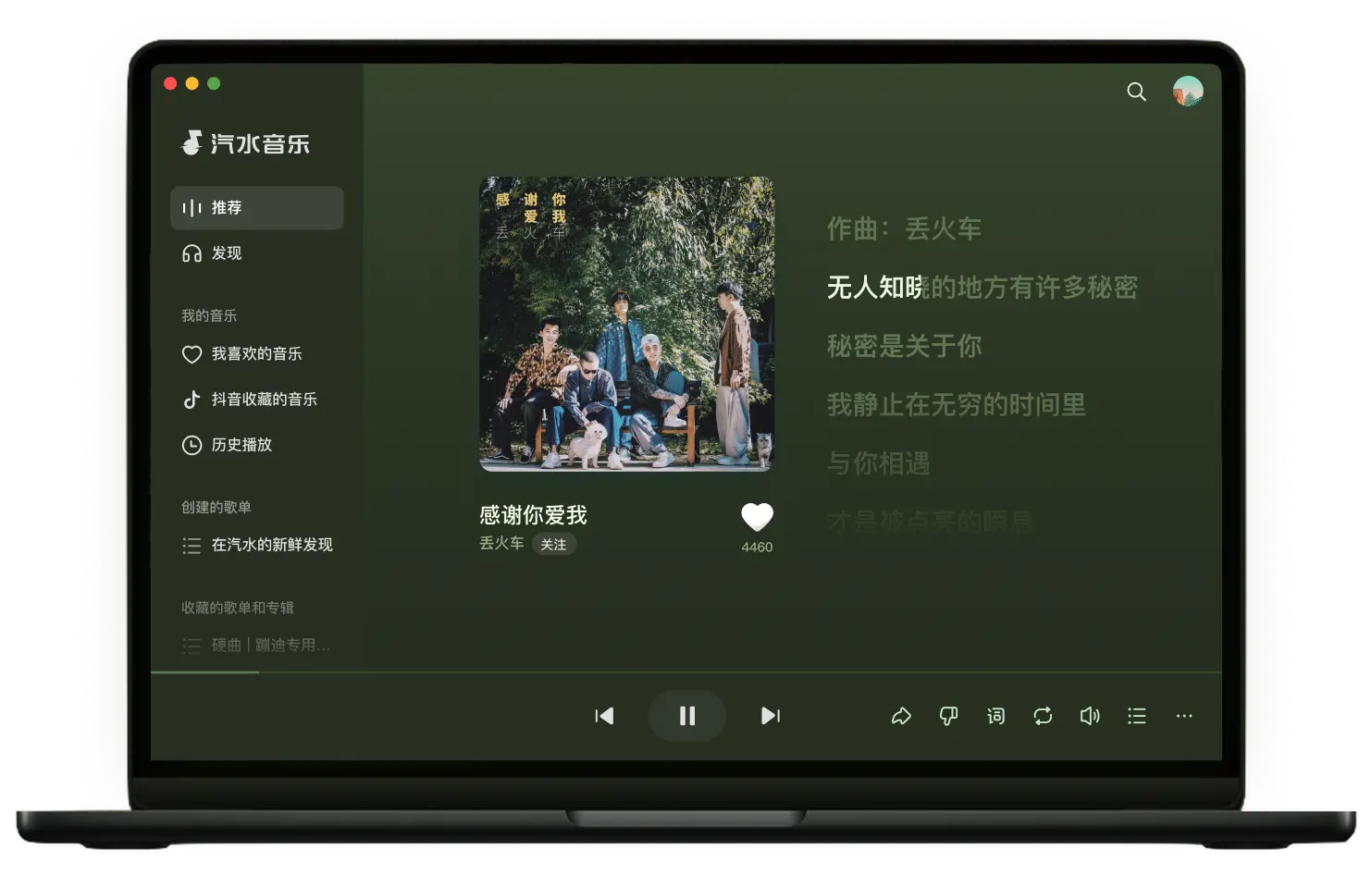
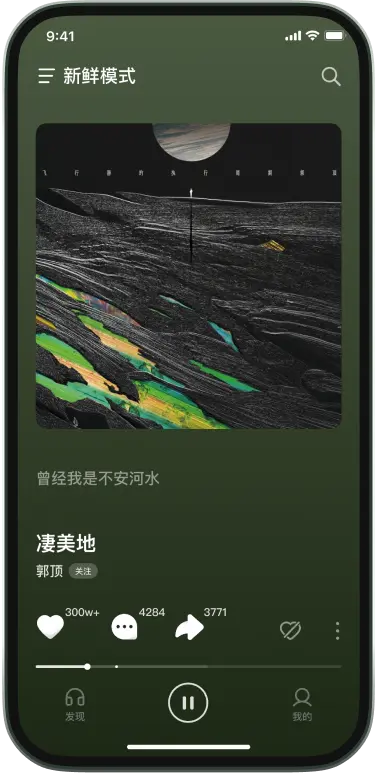
What the app does well
A Douyin-linked music app: strong on trending tracks and library sync, light on complexity.
Broad catalogue
Mandarin, Western, Japanese and Korean tracks, plus the songs trending on Douyin.
Adjustable audio
Standard, high and lossless tiers, set separately for streaming and downloads.
Douyin account sync
Sign in with a Douyin account and saved tracks appear in your library automatically.
Four platforms
Android, iPhone, Windows and macOS clients keep the same playlists.
Lyrics view
Line-by-line lyrics with a floating desktop window while you work.
Offline caching
Cache a playlist before a flight or commute so weak signal is not a problem.
Platforms and versions
Current listed build, package size and system requirement for each platform.

Android
19.1.0 · 78.6 MB
Android 8.0 or later, 64-bit

iOS / iPadOS
18.9.1 · 214 MB
iOS 14.0 or later, iPhone and iPad

Windows
2.3.1 · 96.4 MB
Windows 10 / 11, 64-bit
macOS
2.3.1 · 108 MB
macOS 11 or later, Intel / Apple Silicon
Install and usage guides
Grouped by device and by the problem you are trying to solve.
-
Qishui Music Android Download Guide
How to download Qishui Music on Android safely: source checks, APK warnings, permissions, overseas availability, and common install issues.
-
How to Download Qishui Music on iPhone
A practical iPhone download guide for Qishui Music: App Store checks, region messages, account notes, and what not to install.
-
Qishui Music Not Playing: What to Check First
If Qishui Music will not play songs, check network, app version, permissions, cache, region messages, and install source in this order.
-
Qishui Music Offline Download Guide
A practical Qishui Music offline download guide covering playlist preparation, storage, quality, failed offline playback, overseas use, and legal boundaries.
-
Can Qishui Music Be Used Overseas?
A practical overseas Qishui Music guide covering app-store region, account login, playback rights, network issues, offline preparation, and backup options.
-
Qishui Music PC Download Guide
Check Qishui Music desktop options for Windows, macOS, and web use. Learn how to verify sources, handle missing installers, and avoid unsafe downloads.
Frequently asked
The six questions that come up most during download and install.
How do I download and install Qishui Music?
Open the download page, pick your platform, and the download button opens a single redirect page that serves the matching installer. After installing, test sign-in, search and playback before changing settings.
Which platforms and system versions are supported?
Android 8.0 or later, iOS 14.0 or later, Windows 10/11 64-bit and macOS 11 or later. Current listed builds are 19.1.0 and 18.9.1 on mobile, 2.3.1 on desktop.
How large is the installer and where does it come from?
Around 78.6 MB on Android, 214 MB on iOS and 96-108 MB on desktop. This site hosts no installers; every button points to the same redirect page and no modified or repacked builds are offered.
Is the app free?
Core playback, playlists and recommendations are free. Some higher audio tiers and extras require a paid plan; the in-app page is the source of truth.
It installs but nothing plays. What now?
Work through network, account, system permissions and cache in that order before reinstalling. Most playback failures are permission or cache issues rather than a broken install.
Does it work outside the home region?
Installing and playing are separate problems. Store region, account region and track licensing each affect the result; the overseas guide lists what to check first.
Latest articles
Feature notes, comparisons and practical tips.
-
Best Chinese Music Apps for Overseas Users: A Practical Comparison
A practical guide for choosing Chinese music apps overseas, comparing Qishui Music, NetEase Cloud Music, QQ Music, and Apple Music by availability, catalog fit, and device ecosystem.
-
Best Music Apps in 2026: Choose by Listening Scenario, Not Ranking
A practical 2026 music app comparison covering Qishui Music, NetEase Cloud Music, QQ Music, Apple Music, and Spotify by use case, region, devices, and catalog fit.
-
Qishui Music Getting Started Guide
A quick start guide for Qishui Music: download, install, sign in, adjust basic settings, and start listening safely.
-
How to Create a Playlist in Qishui Music: Complete Guide (2026)
Step-by-step tutorial on creating playlists in Qishui Music, adding songs, using smart recommendations, and sharing playlists with friends.